You're wondering whether guests should be able to pay from their phones, and whether that means the terminal goes. QR payment works like this: the guest scans a code with the camera, opens a page with the bill or the order, and pays with a wallet or card. No terminal comes to the table. It can happen at the end of the meal or at the moment of ordering. At a lunch counter, pay-at-order is the version that helps, since payment leaves the register while the guest is still in line. Either way, the guest's phone, battery and data connection become part of how you get paid.
Two Ways Guests Meet It
The first is pay-at-the-end. The guest eats, scans the code on the table, sees the bill on their phone and pays. Nobody has to hunt for a waiter or wait for a terminal to arrive.
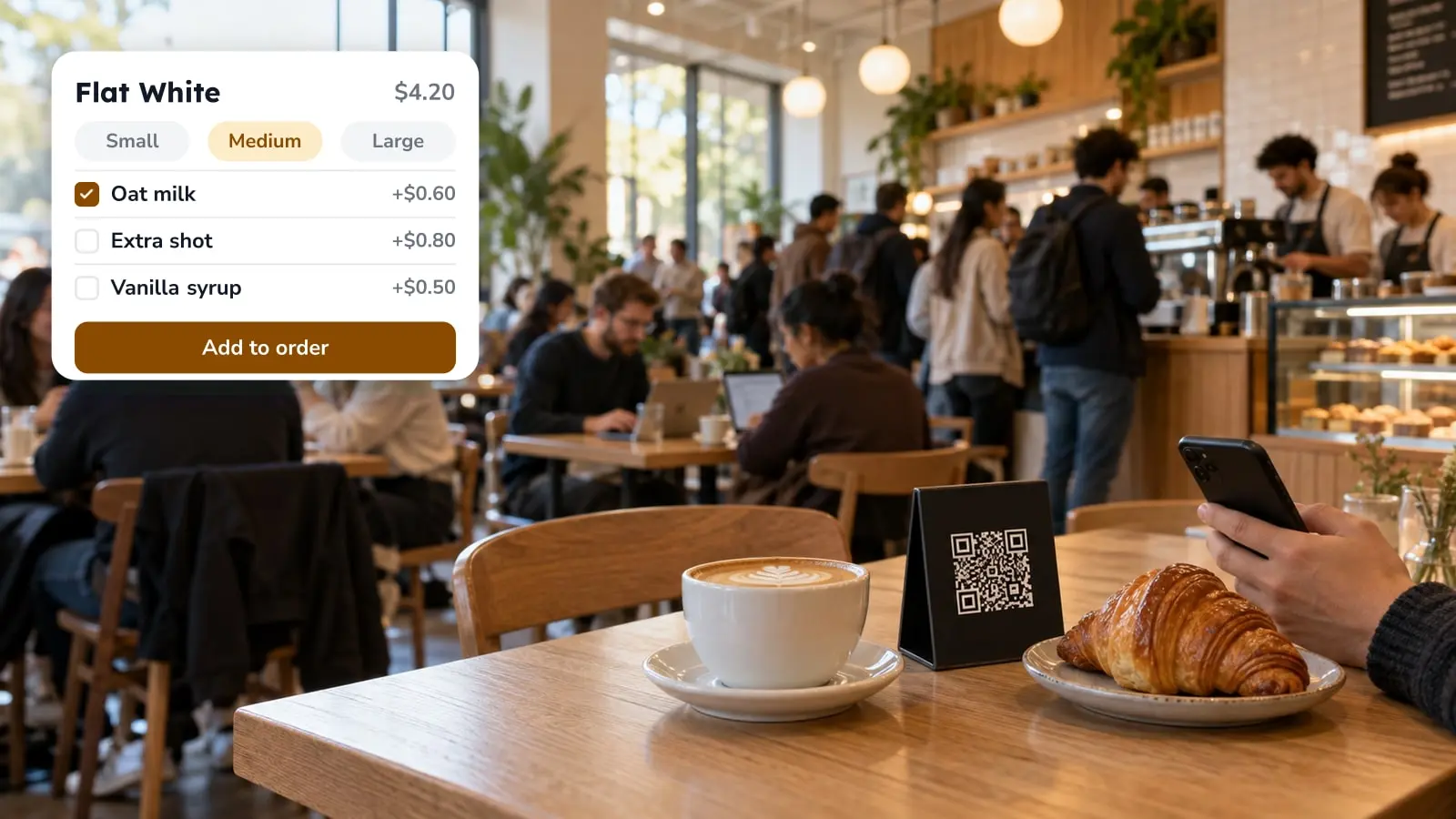
The second is pay-at-order. The guest scans, picks from the menu and pays before the kitchen sees the ticket. Lunch counters and bistros tend to lean on this one, because payment happens while the guest is still standing in line or just sitting down.
The code itself holds no money. It's a link to a page, and the payment provider behind that page does the charging.
QR Payment Is Not Tap-to-Pay
Tap-to-pay uses NFC: the guest holds a card or phone against a terminal. QR payment uses the camera. The guest scans a printed or displayed code and finishes the payment on a web page or in an app.
This matters for what you buy. Tap-to-pay needs a reader at the table or counter. QR payment needs a payment provider account, a page that shows the bill, and a code the guest can see. Some guests will pay with Apple Pay or Google Pay inside that page. It feels like tap-to-pay to them, but on your side it's still a QR flow.
Where It Breaks at the Table
A guest whose card isn't saved on the phone types the number in at the table while the group waits. A phone at 5 percent battery, a weak signal in a basement dining room, or a guest who just doesn't want to pay on a screen: these usually end the same way, with someone calling the waiter.
Groups are the other pressure point. Four people paying separately, with different shares of the bottle of wine, need a split option on the page. Without one, the table hands you a pile of cash and cards and you're back to the old process.
So plan a fallback. If you take the card terminal out entirely, each of these cases lands on the waiter to solve on the spot. Most places are safer keeping one terminal behind the bar.
Which Services Gain the Most
Lunch counters have the most to gain. The queue at the register is the bottleneck, and moving payment to the guest's phone can take that load off the cashier. A bistro with a short menu and quick table turns is in a similar spot.
Full service gains in a narrower way. Much of the delay is waiting for the bill, so a guest who can close it alone may free the table sooner. That counts on a Friday with a waiting list at the door. It counts for much less at a tasting-menu restaurant, where the bill is part of the service.
Bars and cafes sit in between. Quick rounds suit pay-at-order, long evenings suit pay-at-the-end, and many places end up offering both.
What to Settle Before You Switch It On
Work these out for your own floor first:
- Who closes the bill when a guest has already paid on their phone, and how does the waiter see that it's paid?
- How do card payments from the phone reach your end-of-day reconciliation next to terminal and cash payments?
- What happens when a guest orders on the phone but wants to pay in cash?
- Where do tips go, and does your team see them the same way as terminal tips?
- Is there a printed code on every table or one code for the whole room, and can a guest at the next table scan the wrong one?
For a closer look at how the payment itself moves and where it fails, see how QR code payments work.
Getting a Payment QR Code Set Up
You need three things: a payment provider that works in your country, a menu with prices the guest can see, and a code placed where the guest sits or stands.
FineDine's dine-in QR has Fast Checkout, where a group can split the bill, add tips and pay by card or through wallets. The dine-in QR can be a separate code for each table or one code for all tables, and ordering from it also supports a default checkout. Which payment provider you can connect depends on your country, so check that before you build a plan around it. What each plan covers is on the pricing page.
Menu and ordering are connected, so the table code does double duty. What changes after the scan covers the guest side. If you want delivery and pickup on the same setup, online ordering for restaurants goes through the trade-offs.
What Changes in Your Day
At your first lunch service, keep FineDine's Orders screen in view. It shows live, ready and closed orders in one place, so the team can see what's been placed without walking to the register.
| Pay at the end of the meal | Pay at the moment of ordering | |
|---|---|---|
| Guest scans | The code on the table, to see the bill | The code on the table or counter, to see the menu |
| Best fit | Full-service dining, bars with long evenings | Lunch counters, bistros, quick cafes |
| What it saves | The wait for the bill and the terminal | The queue at the register |
| Where it breaks | Groups splitting the bill, dead phones | Guests who want to pay in cash or ask for changes after ordering |
Frequently Asked Questions
- Do I still need a card terminal?
- Plan to keep one. Guests with a dead phone, no data, or a preference for cash or a physical card will ask for it, and a terminal behind the bar settles it on the spot.
- Can guests split the bill on their phones?
- It depends on the checkout you use. FineDine's Fast Checkout lists split payment. Test how your own setup handles a group before the first busy service.
- Is a QR payment code the same as the menu code?
- Not necessarily. The same table code can open the menu and lead to payment if ordering is on, or it can show the menu only. That's a setting you choose per venue.
- What does it cost to accept QR payments?
- Two things add up: your payment provider's fees, which differ by provider and country, and your FineDine plan, which is on the pricing page. Ask the provider for its current rates in writing.
- Which payment providers work with FineDine?
- In the panel, Fast Checkout supports Stripe and Myfatoorah. The integrations marketplace lists other payment providers such as Iyzipay, Square and SumUp. Availability depends on your country, so confirm yours before you commit.