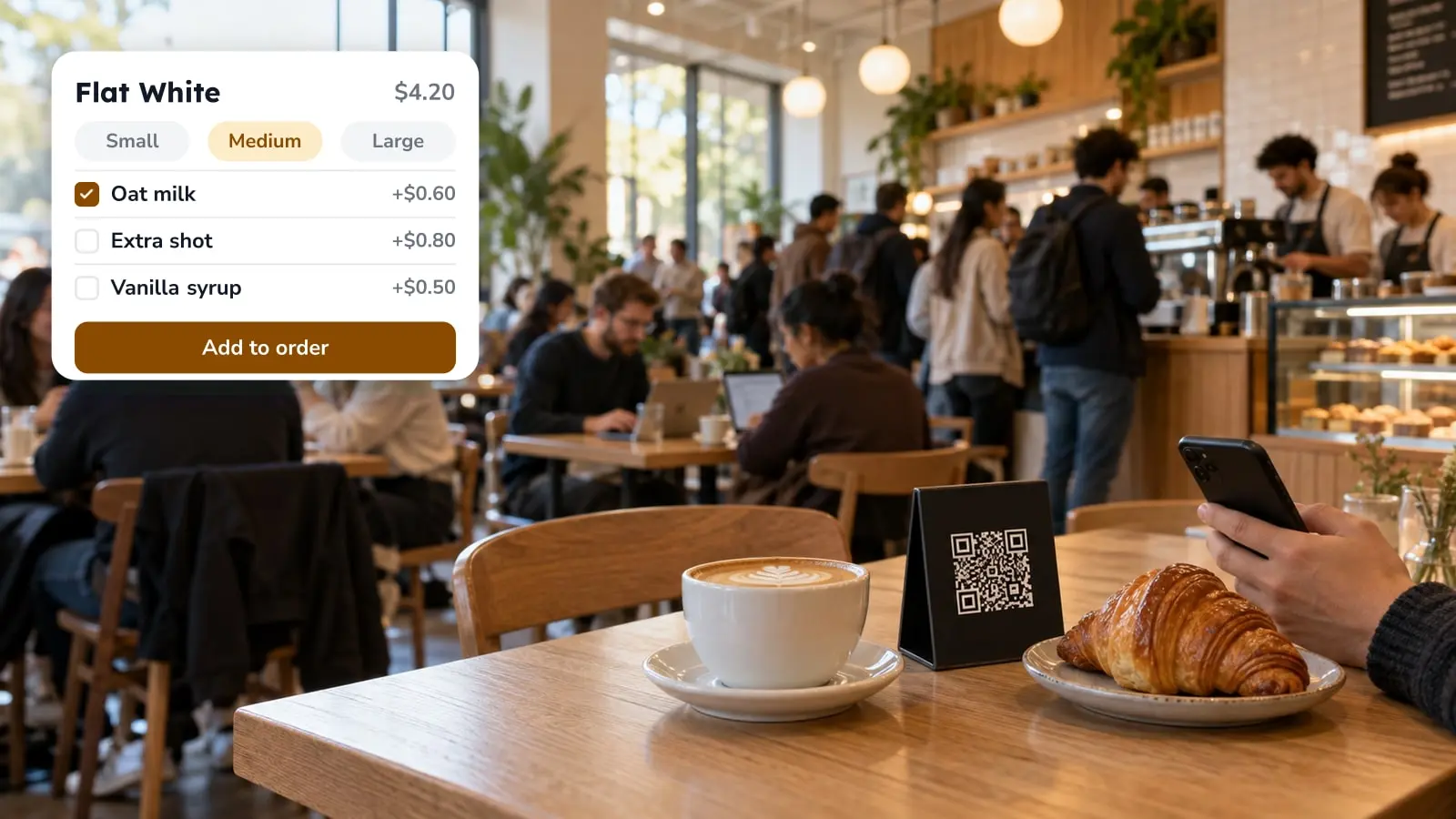
Yes, and you don't need a separate tool for it. The table codes come from your own FineDine settings: you add your tables, then download a printable code for each one. The guest scans with the phone camera, your menu opens in the browser, and the order shows up on your order screen. The setup is quick. The decisions around it take longer: one code or many, whether your kind of service suits it at all, and how you'll notice if someone sticks a fake code over yours.
Where the table codes come from
Nothing to buy and nothing to generate elsewhere. In FineDine, add your tables under Settings, Operations, Tables, grouped by area (inside, terrace, upstairs). Then go to Settings, QR Codes, open the View & Ordering tab and select Dine-In. Download Table QR Codes from there, or use the Download QR Codes button on the Tables screen.
You'll be choosing between two modes. A unique code per table carries the table number, so the order arrives already tagged. One code for all tables is printed once, but the guest types in their own table number, and a wrong number sends the dish to the wrong table. If your tables are clearly numbered and guests can read the numbers easily, a single code can work. If your servers deliver by table number, use a code per table.
There's also a View Only code on the first QR Codes tab. It opens the menu without ordering, which suits guests who just want to look. You can set its color and background there.
Decide if QR ordering suits your service
QR ordering saves one trip, the walk over to take the order. Your team still runs food, clears plates, resets tables and deals with the guest whose dish came out wrong. Plan the floor around that work, not around the idea that taking orders was the whole job.
It fits where guests already know what they want and care about speed: cafes, bars, casual dining, a big terrace where servers cover a lot of ground. It fits worst where the order-taking is part of what the guest is paying for. On a tasting menu, or anywhere the server's recommendation sells the wine and the specials, a phone screen replaces the conversation that sets you apart.
Two practical limits come before any software choice. The menu loads over the internet, so walk to your furthest table, the back of the terrace or the basement room, and check the signal there. And some guests won't have a phone, or it'll be dead, so someone on the floor still has to be able to take an order the old way. A tablet at the table or in the server's hand is the middle option, and our piece on tablet ordering covers when it fits better than a phone.
Write the menu so it answers what a server would
A server fills in the gaps while taking an order: how the steak should be cooked, which side comes with the main, whether the sauce can come separately. On a QR menu nobody asks, so the menu has to carry those questions itself.
That means modifiers for every choice a server would normally ask about (doneness, sauce on the side, an extra shot) and price options for sizes and portions. If a dish is only served at certain hours, set its availability by time, so the lunch set isn't still showing at dinner.
Running out mid-service is the gap people miss. A server who takes orders learns what's gone and stops offering it. On a QR menu the dish stays orderable until someone hides it. Each item in the menu editor has a Mark as Sold Out option and a display toggle. Before the first service, agree who switches the item off when the kitchen runs out, and make it part of the pass.
Setting it up, in the order an order travels
Start with the menu. Build it in Menu Manager; Menu Builder can read a photo, PDF or Excel file of your current menu. Check every price and modifier it brings in, look at the live phone preview, then switch the menu from Draft to Live. A guest who scans while it's still a draft gets a "menu is being prepared" page.
Then the tables and the QR mode from above. After that, turn on the Dine-In QR channel under Orders, Ordering Settings, and choose how guests pay. The screen offers card through your POS, cash, and online payment with Apple Pay, Google Pay or card. Tips, a minimum order amount and age verification for alcohol are on the same screen. Fast Checkout runs on Stripe or Myfatoorah and supports splitting the bill; for how the payment side behaves in service, see how QR code payments work.
If you charge a service or cover fee, add it under Extra Charges so the total the guest sees matches the bill. Under Service Options, pick the requests guests can send from the table, such as asking for the bill.
Before opening, download the codes and scan each table's code with a staff phone. Place one test order, check that it appears under Orders with the right table, and cancel it. Only then put the codes on the tables.
Where the orders end up
Orders arrive on FineDine's Orders screen. If you want them in your POS or on a printed ticket, the Marketplace lists POS integrations (Foodics, Clover, Revel, Simpra and others) and a receipt printer, so check that yours is on the list before launch. Without an integration, someone has to keep an eye on the Orders screen throughout service, and that person should be on the rota the same way a section is.
The FBI warning about QR codes, and your tables
On January 18, 2022, the FBI's Internet Crime Complaint Center published a public service announcement titled "Cybercriminals Tampering with QR Codes to Steal Victim Funds". It describes criminals swapping real QR codes for their own, sometimes by sticking a new code over the original, to send people to a fake site that asks for login or payment details. Its advice to consumers: check the web address after scanning, be careful about entering payment details on a site opened from a QR code, look for signs that a physical code has been tampered with, and don't download an app from a QR code. It also suggests not paying through a site you reached from a QR code and typing a known, trusted address yourself instead. Here is the original FBI notice.
The notice was written for US consumers, but the trick needs only a printer and a sticker, and a code on a restaurant table is exactly the kind of physical code it describes. If your guests pay through the menu and a fake code takes their card details, they're likely to blame you.
Guests will ask whether a code is the real one, so your staff should know what a genuine scan looks like. A FineDine table code opens a short link that leads to your venue's welcome page, with your venue's name on it, and then the menu. It runs in the phone's browser, so a code that asks the guest to install an app isn't yours. If a payment page opens, check the web address before entering card details, and if it doesn't match what your real codes open, treat the code as tampered with.
Scan every code at the start of each day. It's the same check as the test order, minus the order. Any code that looks re-stuck, raised at the edges or covered by a second layer comes off the table, and you print a replacement from the Tables screen.
Reading the numbers after launch
Once QR ordering is running, the question stops being whether it works and becomes what it changed. FineDine IQ, the AI Reports tab in the panel, updates hourly and compares date ranges (7, 14, 28 or 90 days, or a custom range). Put the weeks since launch next to the period before and look at Orders and Avg Ticket. During service, the Real-time tab shows what's coming in.
Be careful with the comparison. If it spans a holiday, a menu change or a new season, those effects get mixed in with QR ordering. Menu Views and Item Views show what guests open, which helps you spot a dish many guests look at but few order. Whether the photo, the description or the price is holding it back is still your call. If you also take orders for delivery or pickup, online ordering for restaurants covers that side.
Frequently Asked Questions
- Can I use the same QR code on every table?
- Yes. With one code for all tables, the guest types their table number before ordering. A code per table fills the number in automatically, which is safer when servers deliver by number.
- Do guests have to download an app to order?
- No. The code opens the menu in the phone's browser. A code that asks the guest to install something is not a FineDine table code.
- Can guests pay from the QR menu?
- Payment is a setting you choose. Online payment (Apple Pay, Google Pay, card) is one option, and card through your POS or cash at the end are others.
- What do I do if a printed code gets damaged or replaced?
- Take it off the table and print a fresh one from the Tables screen. Check the whole floor at the start of the day, because a sticker placed over your code looks like part of the table.
- Can I let guests see the menu without ordering?
- Yes. The View Only code shows the menu without taking orders, so you can use it on tables or in places where you don't want orders from the phone.