How to Log in / Log out from your Tablet?
Updated: September 22, 2026
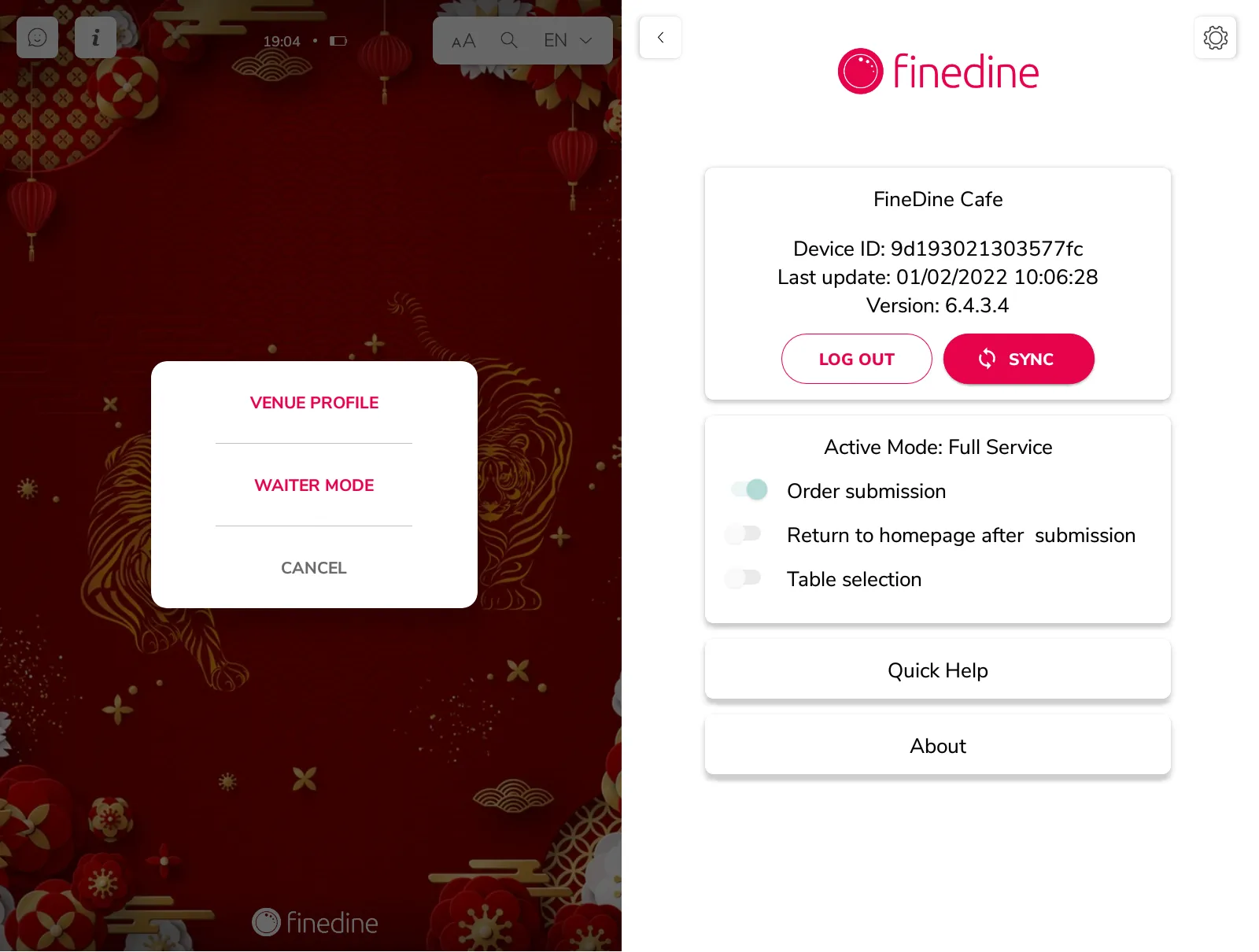
In order to Log out from your Tablet:
- Simply tap 3 times on the FineDine logo at the bottom
- Enter your pin code to confirm your decision
- Click to "Venue Profile '' then you can choose to log out from the menu.
In order to Log in to your Tablet:
1 - Download the FineDine Menu App
Instructions to Download for iPads
- Open App Store in iPad
- Go to Search and type FineDine Tablet Menu App
- Click GET

Instructions to Download for Android Devices
- Open Google Play Store in Android device
- Go to Search and type Finedine Tablet Menu for Restaurants, Cafes & Bars
- Click INSTALL

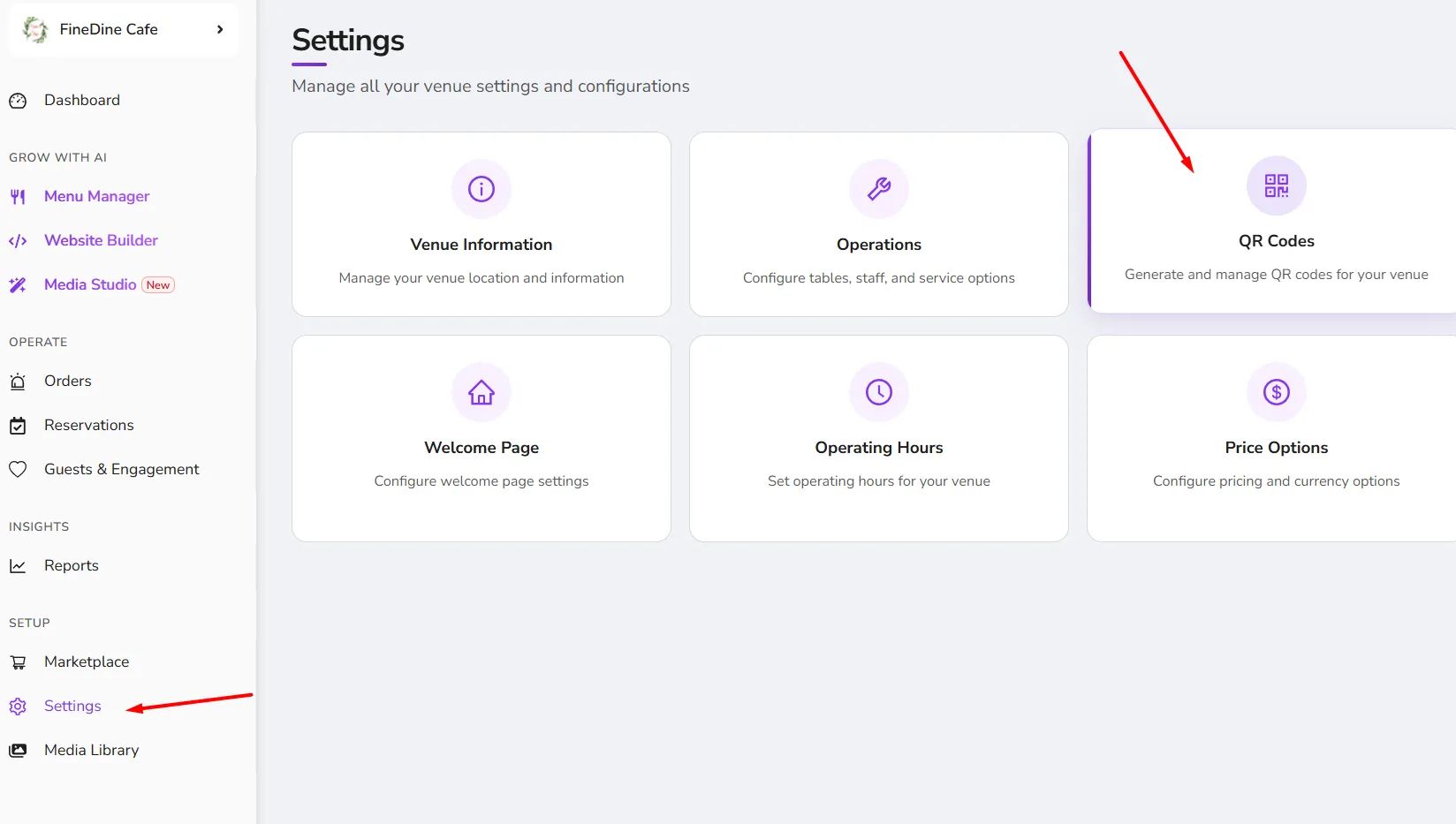
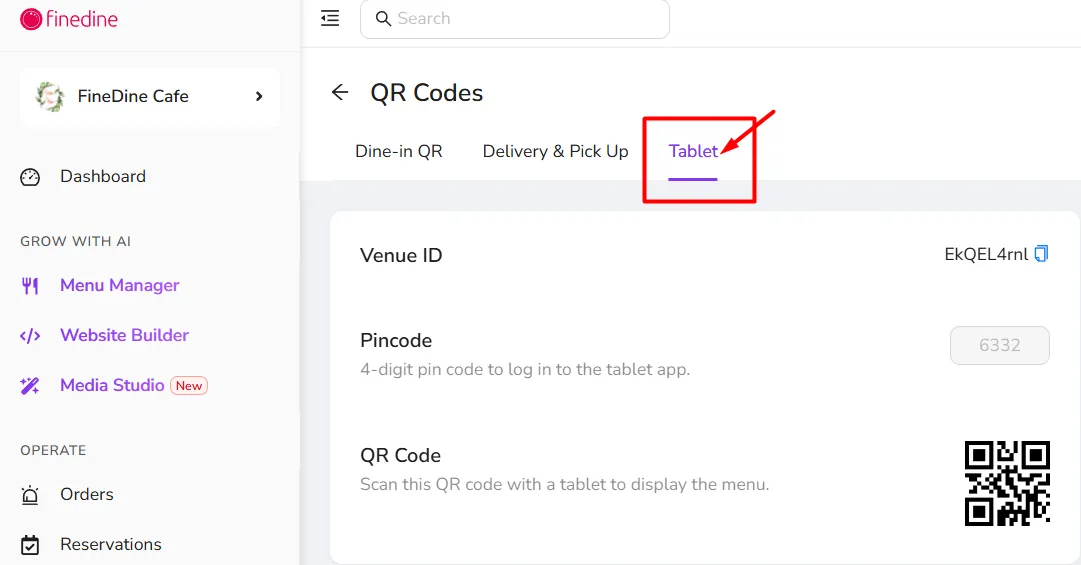
2 - Log in with either your Venue ID & Pincode or just scan the QR Code
both can be found on your Dashboard easily
Was this article helpful?
Related articles
- How does the system work?
- FineDine Solutions (Cost & Products)What are the prices and payment methods? What is included in a subscription? Is it a one-time payment?
- What is Included in the Free Trial?Which features are available on the trial period
- How to Change the Dashboard's Language?A brief description to change the Dashboard language
Still need help?
Our support team is here for you. Start a chat and we'll get you an answer.