Applying Discounts, Taxes and Extra Charges to the Tickets
Updated: September 22, 2026
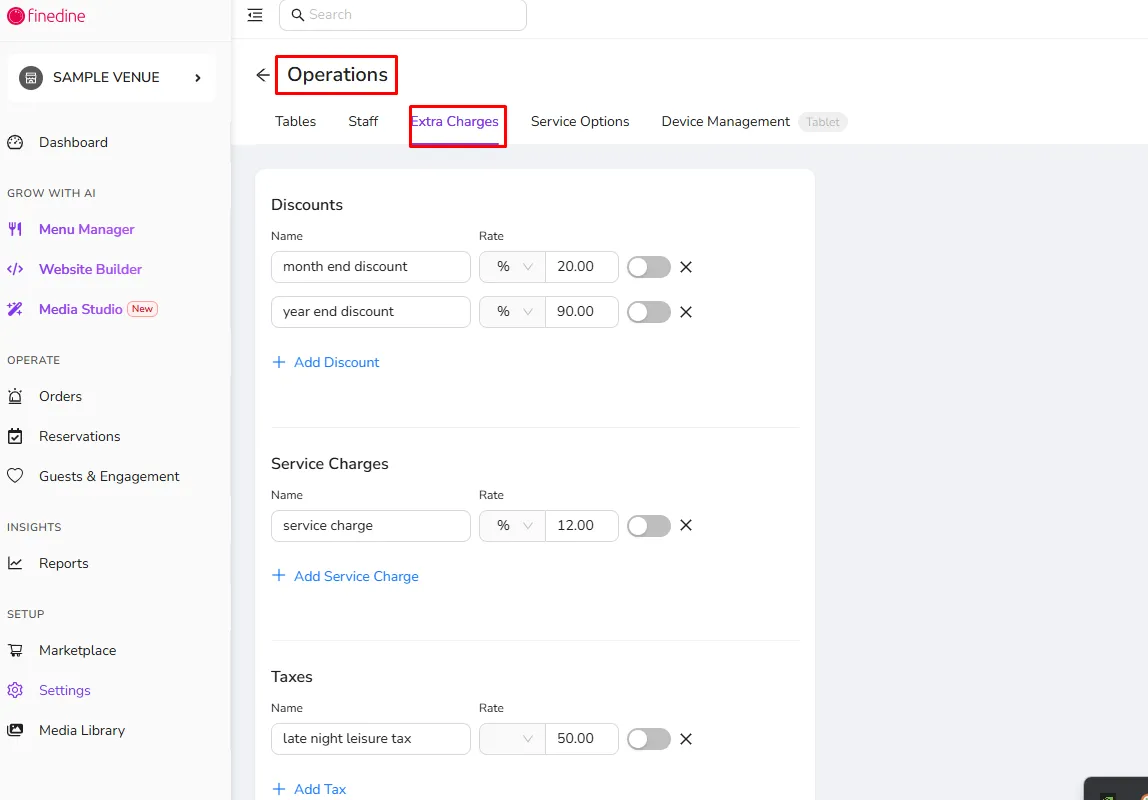
If you take orders from your menu, you can apply discounts, service charges, or even taxes to the checkouts.
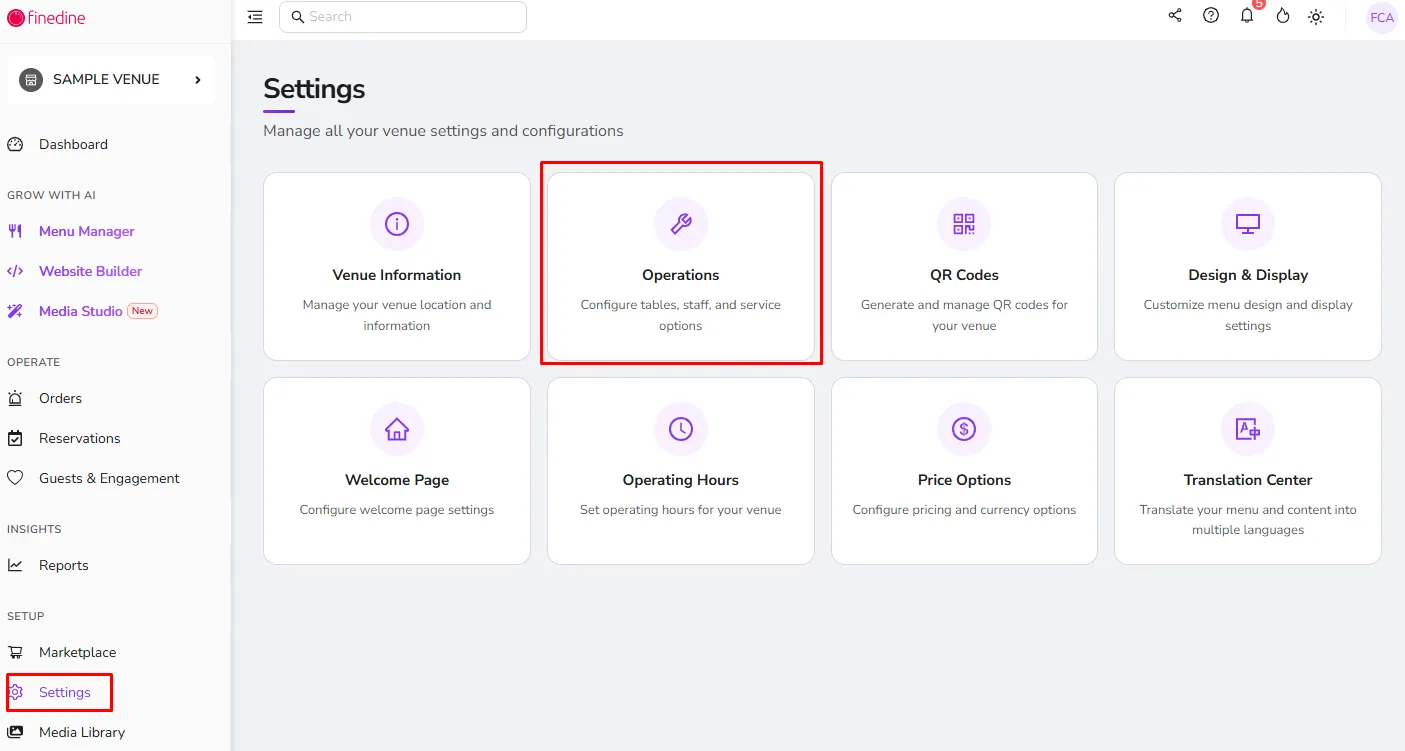
Simply go to the Operation>Extra Charges tab to start!
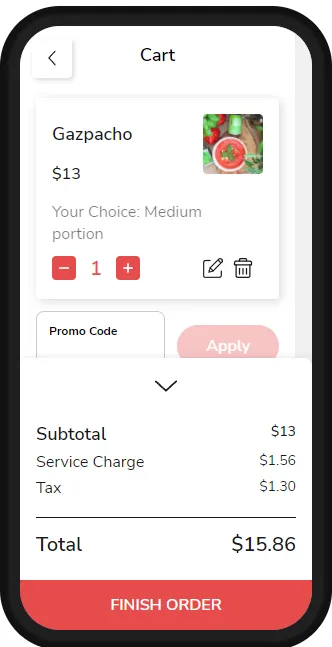
Since these extra charges are being calculated on the checkout page, it won't be possible to show them if you are not actively taking orders from your menu.
*The ticket on the app gets updated automatically to reflect the final amount.
Was this article helpful?
Related articles
Still need help?
Our support team is here for you. Start a chat and we'll get you an answer.