
Table 12 scans the code and sends a starter to the pass. Someone on your own site orders delivery. The aggregator tablet beeps on the shelf. The phone rings. Four routes, one kitchen.
The software question comes later than most people think. Three things have to be settled first, and you settle them yourself: which screen counts as the truth when two of them disagree, what time each channel promises the guest, and who is allowed to move that time once service has started. Shop before that, and the likeliest thing you buy is a fourth screen to watch.
What order management means once you have more than one channel
An online ordering system is the screen where orders from your own channels land, get accepted, and get a time put on them. Delivery and pickup from your website, dine-in orders from a table QR code, a tablet in a server's hand: one list, one status somebody can change.
Most vendors in the category describe themselves in roughly those words. That makes the list itself a weak way to tell them apart.
What sits behind the list is the part worth reading. Do the menu, the payment and the guest record live in the same system as the orders? Or in three systems that somebody reconciles after close?
Count your channels before you shop for software
Take one busy service and write down every route an order can take to the kitchen. For each route, note three things:
1. The device it lands on, and who is standing near that device.
2. The time it promises the guest, and who decided that number.
3. Whether it reaches the kitchen on its own, or whether a person retypes it.
Line three is the one that shapes a shortlist. A retyped channel costs you a pair of hands in the hour you have none spare. It is also where wrong tickets tend to start, because someone reads a number off a screen and someone else writes it on a ticket.
Most kitchens can answer line three without checking. The phone usually comes first, then the aggregator tablet.
You will also turn up channels nobody owns. A pickup order placed at 16:40 for a 19:30 collection belongs to whoever is working at 19:30. Write that handover down as well. It tends to hold while the usual person is in, and slip on their day off.
The kitchen clock breaks before the order count does
A delivery quote covers two stretches: the kitchen and the road. The kitchen slows as the night fills. What the road adds on top of that is in your own delivery records, and the way to read it is to put a busy Saturday next to a quiet Tuesday.
In FineDine's delivery and pickup settings that quote is one published figure. It stays honest only as long as somebody moves it. Set it for your busiest hour. Drop it on quiet days if you want the traffic.
The same screen holds the levers you reach for mid-service: a minimum order value, pre-orders for a future slot, age verification when there is alcohol on the list, order cancellation. None of it is exotic. Open the screen on a quiet afternoon and learn where each one sits, rather than during a service.
A delivery menu is not your dine-in menu
In most delivery operations the cheapest change available is a shorter list. Anything fried thin, anything plated with a sauce that is meant to stay beside it, anything built to be eaten the minute it leaves the pass: those arrive as a different dish. A refund tends to cost more than the order brought in, and the guest remembers the version that turned up.
Pull the items that travel badly off the delivery list. Give the ones that survive the trip their own delivery portion and price.
FineDine handles this on two levels. A menu carries the channels it is live on, dine-in QR, pickup, delivery, tablet, so one list does not have to serve all four. Individual items carry their own availability by day and time, which lets the late list shrink to what a closing kitchen can actually plate. Sizes sit in their own tab with a price each, and that is where a delivery portion belongs.
Which setup fits your room
One channel is enough to start with, and which one depends on the room.
Switching everything on in the same week rarely survives. Four new habits land on the same staff in the same service, and the first wrong ticket gets all four blamed for it.
Match your room to the closest type, switch that channel on, and leave the rest off until nobody on the floor has to think about it.
What to read the morning after
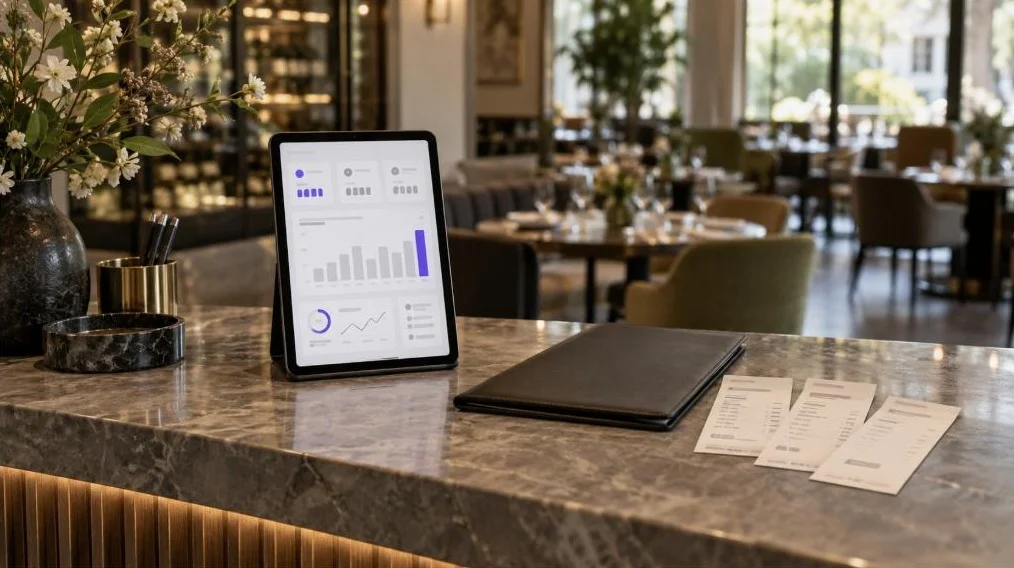
The reports screen refreshes hourly and carries eight numbers: revenue, orders, average ticket, conversion, sessions, menu views, section views and item views.
For an ordering operation, the two I would read first are average ticket and orders. Average ticket says whether the online menu sells the way your floor sells. Orders says whether the channel is growing, or whether one busy weekend moved the line.
Both of them want a comparison. Set the range to 7 days and put it against the previous 7 before you conclude anything from a single Saturday.
The same panel flags a day that falls outside its own pattern and turns it into a suggested action. Because the report refreshes hourly, you can catch that during the day rather than after it. That helps with the failure a chart hides: a channel that quietly stops accepting orders reads like an ordinary slow day until the day is put next to itself.
What your own ordering channel will not fix
Aggregator orders do not move into this screen. FineDine's integration marketplace lists 22 connections: 11 point-of-sale systems, 10 payment providers and a receipt printer. No delivery aggregator among them. What you are buying is one screen for the channels you own, and the tablet on the shelf keeps beeping.
An aggregator puts you in front of people who opened the aggregator. Your own channel serves people who already decided on you. Moving guests from the first group to the second is marketing work, and no ordering screen does it by itself.
The commission comparison has to come out of your own paperwork. Rates differ by market, by contract, and by how long you have been on a platform, so a figure printed in an article is a guess about somebody else's deal. Take last month's statement, divide the commission by the gross, and work with that number.
Someone still has to drive, and the order screen does not pick that person. It holds the delivery fee, the promised time and the guest's address. The run gets handed out off the screen.
Bringing the channels you own onto one screen
Once dine-in QR, pickup and delivery run off the same list, the day changes in small ways rather than one large one. A price edit happens once and shows up wherever that menu is live, instead of three times on a Monday morning. Payment is taken at checkout through the provider you connected, so the closing count and the order list start from the same record. A promo code can be aimed at pickup only, which keeps a discount built for a quiet afternoon from following a guest to table 12.
None of that settles the three decisions. It moves them into one place that every channel reads from.
| Your room | Switch on first | Where it usually goes wrong | What to watch |
|---|---|---|---|
| Dine-in, table service | Dine-in QR with a separate code per table | One shared code for the whole floor, so tickets arrive without a table number | Orders landing with no table attached |
| Delivery and pickup led | Pickup first, delivery once pickup is boring | A published delivery time set once and never revisited | Cancellations, and the timing report against your real service times |
| Counter and quick service | Kiosk mode on a tablet | Too many modifier choices for someone ordering while standing up | Average ticket before and after the kiosk |
| Two or more sites | One account holding both venues, with named logins for managers | Each site editing its own menu until the two drift apart | Order counts per venue, side by side |
Frequently Asked Questions
- What should I look for when comparing online ordering systems?
- Start with retyping. Is there a channel where a person keys the order in again before the kitchen sees it? That is the one costing you hands on a busy night. Then read the integration list against your own country. FineDine's marketplace carries 10 payment providers, Stripe and Square alongside Iyzipay, MOKA, Myfatoorah and STC Pay, and a system built around a processor your guests do not use is not much use to you.
- Do I need a POS to take online orders?
- You can take online orders without one. FineDine's marketplace lists 11 POS integrations, Foodics, Clover, Revel and Square among them, so a till you already run can be connected. With no POS at all, the orders screen and a connected receipt printer cover the basics.
- Who delivers the food if I take the order myself?
- You do, or a courier you contract. If nobody on your team can drive, switch pickup on first. It takes the order and the payment with nobody on the road.
- Can guests order from the table without downloading an app?
- Yes. The dine-in QR channel opens the menu in the phone's browser and the order goes through from there. Print one code per table and the table number stays attached to the ticket. One code for the whole floor also works, as long as your staff enter the table themselves. A tablet does the same work, carried by a server, fixed to a table, or standing as a self-service kiosk.
- How many online orders a month can I take?
- Monthly order volume sits with the plan you are on, and those figures move. Read the current allowance, and the terms for passing it, on the pricing page. A number printed in an article ages badly.
- Should I drop the delivery apps once my own ordering works?
- Decide it one platform at a time. For each, look at where last month's orders from it actually went. The ones to addresses you already reach on your own channel are the ones you could win back. The ones outside your own delivery radius are what you would be giving up. Keep the direct channel running the whole time you are looking.