
You can stop paying a marketplace app a cut of every order, but only half of the job comes back to you easily. Taking the order yourself is the simple part. The driving is what costs you, and it decides which of three routes suits your kitchen: your own ordering page, your own drivers, or a delivery network that charges a flat fee instead of a percentage.
Taking the Order and Doing the Driving Are Two Separate Jobs
A marketplace app sells you three things as one percentage. It finds the customer, it takes the order and the payment, and it sends someone to drive. The commission is the price of that whole bundle, so to pay less you have to decide which pieces you take back.
The order itself is the cheap piece. The driving is where the money goes: drivers, fuel, and the late order on a Friday night that the guest remembers. In practice kitchens land on one of three setups. Orders come to you directly and your own staff deliver. Orders come to you directly and a flat-fee network drives. Or you keep the apps to meet new customers and move your regulars to order direct. Each one works for some kitchens and fails for others, and the reasons follow.
Run the Numbers on Your Own Statement First
Pull last month's statement from the app and add up every deduction, not just the headline rate. Paid promotions, marketing fees and anything charged on top of the rate come out of the same order. Divide the total by the number of orders and you get a cost per order, which is the figure to hold against what it would cost you to handle that order yourself.
Take a made-up case: if an app keeps a quarter of a $40 order, $10 is gone before you've paid for food or labor. Your rate will be different, which is exactly why your own statement beats any number quoted in an article. Direct ordering only pays off if what you save is more than you'll spend on payment processing, a driver's time and the flyers that tell people you exist.
Direct Ordering Through Your Own Menu Page
Start here, because it takes the marketplace out of the order itself. Guests open your menu link from your website, your Instagram bio or a QR code, pick their items and pay you. You also end up with the customer's name and phone number, which delivery apps often keep for themselves. What you're allowed to do with those details depends on your country and the channel, whether email, SMS or calls, so check the local rules before you message anyone.
This suits you if people already know your name: regulars, neighbors, the office that orders lunch, anyone who has sat at your tables. It suits you badly if nearly all your delivery customers found you inside the app, since a direct page doesn't bring in strangers by itself. Then the apps are your advertising, and the direct page is where you send people who have ordered twice.
Card payments online still carry a processing fee from the payment provider. It tends to be well below a marketplace commission, but look up your provider's actual rate before you count on a figure.
Your Own Drivers: Worth It When the Radius Is Small
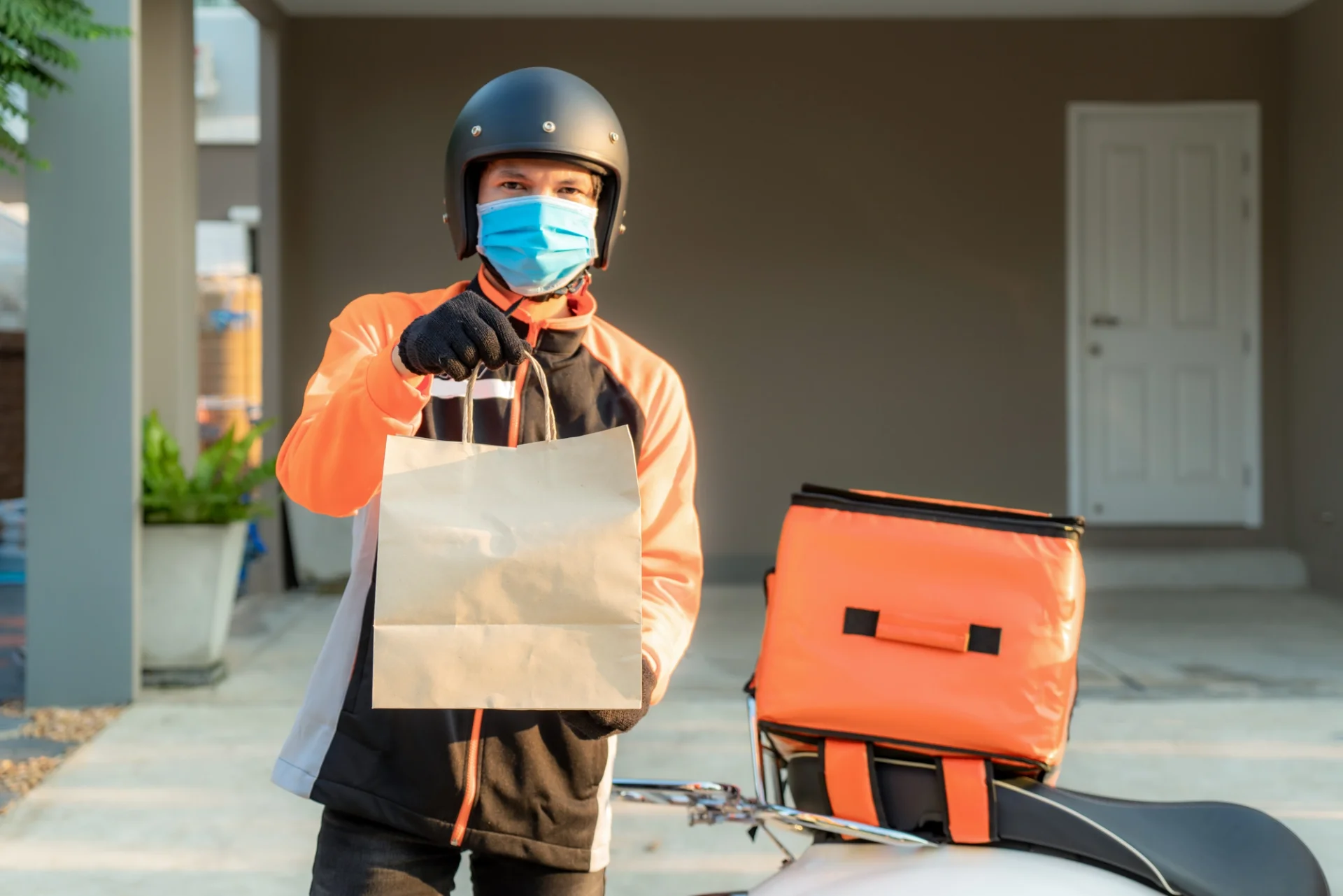
If you already have a delivery person, a scooter or a van, direct orders can go out the way your own do now. You set the timing, you take the complaints yourself, and no third party sits between you and the guest.
It works with a tight radius and steady orders, so the driver isn't waiting around between runs. It falls apart when everything arrives at 20:00 and you have one driver, or when that driver calls in sick and you're refunding orders. Work out what a driver costs per hour, idle time included, before you commit. If delivery is a small slice of your sales, hiring someone just for it rarely pays, and pickup is the safer direct channel.
A Flat-Fee Delivery Network: When You Have No Drivers
Some delivery networks charge a fixed fee per run instead of a share of the order. You take the order on your own page and hand the delivery to them. Your menu prices, your customer list and your payment flow stay with you, and you pay only for the trip.
That suits a kitchen with no drivers that still wants to own the customer. Whether you can get one depends on where you are. Ask whether a network like this covers your area, how it prices short and long trips, and what happens when a driver is late, because a late order still arrives at your guest's door with your name on it. In a lot of places there won't be one, and the choice is between the first two routes.
How Much to Charge for Delivery
There's no standard number. Start from your own costs: what one run takes in driver time, fuel and packaging, and how many orders a driver can complete in an hour. Then choose a structure. A flat fee is the easiest to explain. A minimum order amount makes small orders worth the trip. A free-delivery threshold nudges guests to add a dessert.
Many kitchens combine a modest fee with a minimum order, because the minimum protects the margin on tiny orders while the fee covers the drive. If the fee makes your total look high next to the app's, lean on the minimum and the threshold before you drop the fee to zero.
Getting Regulars to Order From You Instead
A direct page nobody knows about earns nothing, and guests stay with the app out of habit. So tell them where to go, in places they already look.
Put a small card in every delivery bag, whichever channel the order came from, with your menu QR code and one line on why ordering direct helps you. A fridge magnet with the QR code does well because it's right there when someone gets hungry. Link the menu from your website, your Instagram bio and your newsletter.
Give them a reason to switch as well. A discount on the first direct order, a free drink above a certain basket size or a loyalty stamp can all work, provided the saving costs you less than the commission would have. Print the code on the bag card so the switch can happen on the very next order.
Setting Up Direct Delivery Orders in FineDine
FineDine covers the order side: your menu goes online, and guests order and pay on your own page. In the panel, Orders > Ordering Settings has a Delivery & Pick-Up screen with separate Delivery and Pick Up tabs. There you can enable ordering and set a Delivery Fee, a Minimum Order Amount and a Delivery Time (preparation plus travel). Enable Pre-Order lets guests book a later slot.
Online payment needs a payment provider, and you apply for one through Integrations. The drivers stay yours or your delivery partner's, because the panel handles intake, fees and timing and doesn't dispatch anyone.
To push people toward direct orders, Promo Codes let you create a code and tie it to an order mode such as delivery or pickup. Your menu's QR code can go on the bag cards and magnets mentioned above. If you run a bigger operation, the online ordering do's and don'ts are worth reading before you switch ordering on. Pricing is on the FineDine pricing page.
Frequently Asked Questions
- Do I have to drop the delivery apps completely?
- No. Many kitchens keep one app so new customers can find them, and use the bag card and a promo code to move repeat customers to the direct page. Compare the per-order cost from your own statement and decide app by app.
- What should I charge guests for delivery?
- Base it on what one run costs you: driver time, fuel and packaging, spread over the orders a driver can finish in an hour. A modest flat fee with a minimum order amount is the usual pairing, and a free-delivery threshold helps if you want bigger baskets.
- Can FineDine send a driver to the customer?
- No. FineDine takes the order, the payment and the delivery details through your own menu page. Your own staff or a delivery partner you choose does the delivery.
- Do I need a payment provider to take online payments?
- Yes. In the Delivery & Pick-Up settings, online payment is set up by applying to a provider through Integrations.